
September 12, 2026
Multi City Trip Planner: How to Build Smarter Multi-City Travel Itineraries with AI
Plan your next adventure with ease! Discover practical tips for creating effortless multi-city travel itineraries. Read the article to start your journey!
Planning a multi city trip can be overwhelming—juggling dozens of browser tabs, spreadsheets, and endless confirmation emails. For travelers planning complex itineraries with three or more destinations, the process often feels chaotic and time-consuming. Enter the multi city trip planner: a new generation of AI-powered tools designed to simplify and optimize multi-city travel. These tools are game-changers for anyone looking to explore multiple cities efficiently, whether you’re a solo adventurer, a family, or a group of friends. AI not only streamlines the planning process but also ensures your route, bookings, and daily activities are seamlessly connected. This matters now more than ever, as AI can save you hours of research, reduce travel stress, and help you make the most of your journey.
Quick Answer: The Best Way to Plan a Multi City Trip with AI
An AI trip planner can draft a complete multi city trip in seconds. Give it something like "10 days, Paris → Amsterdam → Berlin, May 2026, two adults, €150/night budget" and it returns flights, hotels, daily plans, and transit legs stitched into one itinerary.
The fastest path looks like this:
- Pick your cities and travel dates. Be specific—"May 10–20, 2026" beats "sometime in spring."
- Let the multi city trip planner suggest an optimized city order. It checks train and flight connections, hotel prices, and transit times so you're not zigzagging across a continent.
- Customize day-by-day. Swap a museum morning for a food tour, add a rest day, block off time for work—whatever fits.
For that Paris – Amsterdam – Berlin route, AI balances travel days (two train legs of ~3–4 hours each), museum visits, food tours, and downtime so you're not sprinting through the Rijksmuseum on the same afternoon you arrive from Gare du Nord.
The same workflow applies whether you're planning romantic getaways in the Mediterranean, road trips across the US West Coast, or a multi city travel loop through Japan. Only the inputs—cities, dates, budget—change.
Now that you know the basics, let’s dive into what a multi city trip planner is and why it’s essential for modern travelers.
What Is a Multi City Trip Planner (and Why It Matters Now)?
A multi city trip planner is a tool that lets you design trips with three or more stops—say Rome, Florence, Venice, and Milan—in a single itinerary instead of booking each leg separately and hoping the timing works out.
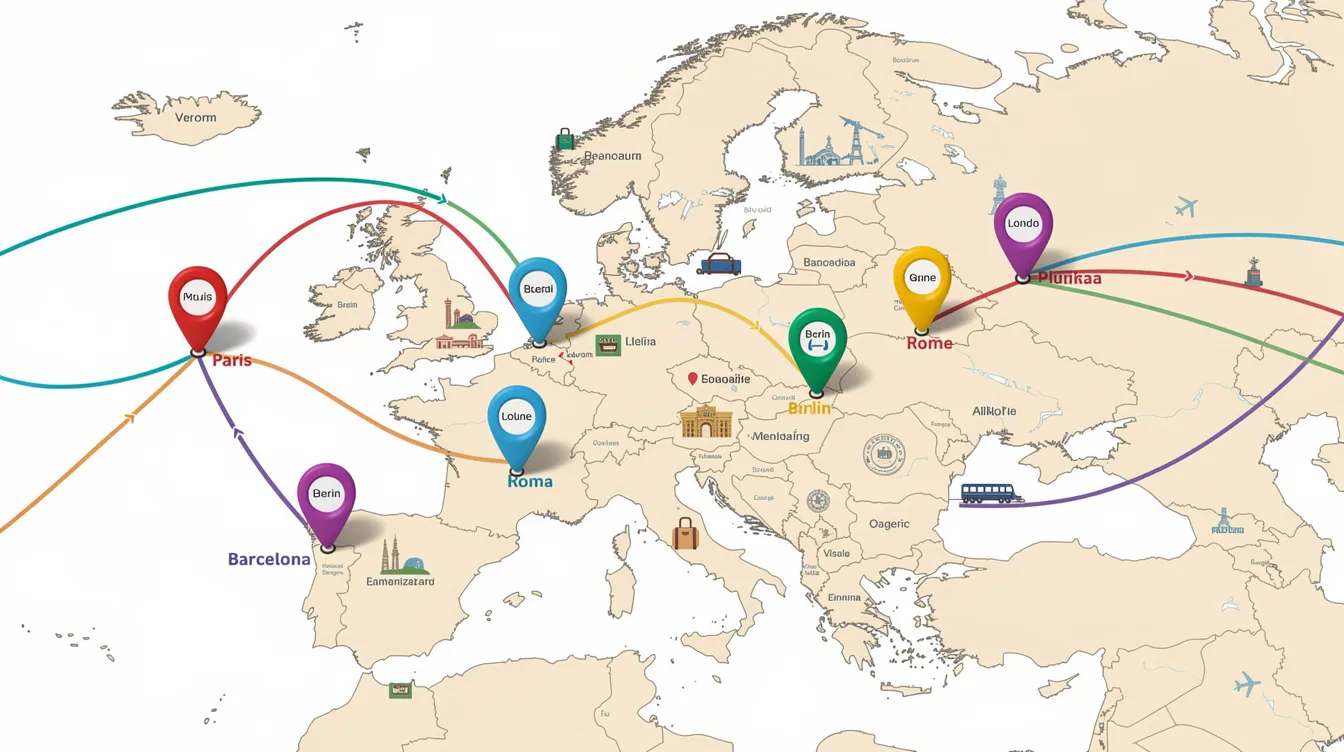
- A basic city trip planner handles one destination. A multi city trip planner manages flights, trains, hotels, and activities across all your stops, stitched into one journey.
- These tools evolved from static search forms to interactive trip planner AI that reacts to constraints like fixed flights, loyalty hotel points, or "I refuse to wake up before 9 AM." KAYAK Trip Builder launched in 2020 for multi-city trips and was the first global metasearch for multi-city trips, but it still focused primarily on flights. Today's AI travel planner tools go much further.
- Multi-city itineraries require careful timing and transport choices. A two-week Japan route (Tokyo → Kyoto → Osaka → Hiroshima) or a nine-day US East Coast circuit (New York → Washington DC → Boston) involves dozens of interdependent decisions that compound quickly.
- Effective multi-city trip organization balances efficiency, pacing, and flexibility to avoid travel burnout. That's the pain point: juggling confirmation emails, misaligned check-in/check-out times, and rushed connections between cities. AI solves it by treating your entire route as one connected system.
Understanding the core features of these planners is key to choosing the right tool for your trip. Let’s explore what to look for next.
Core Features to Look For in an AI Multi City Trip Planner
Not all AI trip planner tools handle multi city travel well. Some are glorified flight search engines wearing an "AI" badge. Here’s what’s actually non-negotiable:
Editable Itineraries
- Editable itineraries are crucial for managing multi-city travel plans. You need to drag-and-drop days, move a Florence day trip inside a longer Rome stay, or add an extra night in Kyoto—without rebuilding the whole plan. Editable itineraries allow adjustments without rebuilding the trip.
City Order Optimization
- The tool should propose efficient routing and warn when your chosen route wastes time or money. More on this below.
Booking Consolidation in One App
- Flights, hotels, trains, tickets—all stored together so you're not digging through Gmail for "Berlin train 2026."
Map-Integrated Planning
- Map-integrated planning helps avoid routing mistakes. Wanderlog integrates itinerary creation with map-based planning, which means you can see if your hotel is 45 minutes from every attraction you want to visit before you book it; a detailed Wanderlog review for 2026 breaks down how its free and Pro features stack up for multi-city planning.
Personalization
- Budget tiers, accommodation types (hostels vs. boutique hotels vs. Airbnbs), accessibility needs, and interest tags like "foodie," "architecture," or "kid-friendly."
Flexible Transport Handling
- Support for mixing flights, high-speed trains, ferries, and rental cars inside a single multi stop trip. Choose transportation based on route efficiency rather than price alone—a €30 bus that takes 8 hours isn't always better than a €90 train that takes 2.
Now that you know what to look for, let's see how AI planners actually build your itinerary.
How AI Trip Planners Actually Build a Multi City Itinerary
AI trip planners optimize routes for multi-city travel by combining your inputs with live data and network optimization algorithms. Here’s what happens under the hood:
Input Step
- You type something like "2 adults, 10 days in June 2026, visiting Lisbon, Porto, and Madrid, starting from Chicago, budget $2,500 per person." Trip details like these give the AI enough to work with.
Route Generation
- The AI suggests a city order—Chicago → Lisbon → Porto → Madrid → Chicago—and proposes approximate nights per city based on transport times and how much there is to explore. AI trip planners optimize connections and transfers for multi-city travel, so they'll flag if your planned sequence creates a pointless backtrack.
Daily Plan Creation
- Each day gets time-stamped blocks: morning walking tour, afternoon museum, evening food experience. Realistic transit times between neighborhoods are baked in. Trip Planner AI generates full itineraries in seconds with real-time prices, which means you see what things actually cost—not vibes-based "estimates." For a deeper dive into how these tools compare in real-world use, see this guide to AI trip planners in 2026.
Live Data Integration
- The tool pulls current flight availability, hotel prices, train schedules, and activity availability through partner APIs. According to TravelTribe Explorers, strong AI trip planners reduce planning time by 60–70% compared to manual research.
Iterative Refinement
- You say "swap museums for markets" or "add a day trip from Munich to Neuschwanstein on June 14, 2026," and the AI adjusts the full plan without breaking everything else. This is where the trip builder concept really shines.
With a sense of how AI builds your trip, let’s walk through the process step by step.
Step-by-Step: Planning Your First Multi City Trip with AI
Follow this sequence to design a real multi city trip. I'll use a 12-day "Classic Italy" across Rome, Florence, Venice, and Milan in October 2026 as the example.
- Define your scope: October 5–17, 2026, 2 adults, €180 per night for hotels, mostly trains. Specific dates and a budget give the AI hard constraints to work within.
- List cities and must-see stops: Travelers should list all destinations for better planning. Include the Colosseum, Uffizi Gallery, a gondola ride in Venice, Duomo di Milano. Mention any fixed bookings—like non-refundable flights into Rome and out of Milan. Anchor the itinerary around a few must-do experiences.
- Let the AI suggest the city order: Rome → Florence → Venice → Milan by train. The AI proposes nights per city (4/3/3/2) based on activity density. Limit stops to ensure three to four full days per city—aim for at least three nights in major cities.
- Choose transport modes: Compare options between high-speed trains and budget flights for each leg. The AI shows costs, durations, and departure times side by side. Book major international or cross-country arrivals and departures first.
- Fine-tune the daily plan: Schedule one major activity per day to keep plans flexible. Ask AI to add food tours, skip certain museums, or block off "work mornings." Pack light for frequent hotel changes—you'll thank yourself on that Florence → Venice train.
- Lock in priority bookings: Confirm long-haul flights, high-speed train seats, and popular attractions early. The Uffizi in October still sells out.
- Export and share: Generate a shareable itinerary link to coordinate with friends or family. The first draft is a starting point, not a final document.

Once you’ve mastered the basics, optimizing your city order can make a huge difference in cost and enjoyment. Let’s see how.
Optimizing City Order for Cost, Time, and Enjoyment
City order can change flight prices by hundreds of dollars and add or remove entire travel days from your schedule. Planning a multi-city trip requires mapping a logical geographic route.
- Europe example: A two-week multi city trip in June 2026 visiting London, Paris, Brussels, Amsterdam, and Copenhagen. Going London → Paris → Brussels → Amsterdam → Copenhagen follows a continuous geographic flow with short, frequent train legs. Reversing it or jumping Copenhagen → Brussels → London creates longer rides and higher costs. Put every destination on a map and arrange them in logical order before booking.
- How AI helps: Trip planner AI checks typical flight and train directions, avoiding backtracking. KAYAK Trip Builder calculates the cheapest route between cities, while newer AI tools go further by weighing time, convenience, and real time prices together.
- Hub airports matter: Consider an open-jaw flight to eliminate backtracking—fly into London, out of Copenhagen, and skip the return leg entirely. Cities like Frankfurt, Istanbul, or Zurich work as efficient gateways and rail hubs.
- Asia example: Bangkok → Chiang Mai → Hanoi → Ho Chi Minh City. AI proposes the best sequence based on regional flight patterns, since not all city pairs have daily direct flights. Map a geographic flow to save time and transport costs.
- Traveler preferences: Transitions should be efficient rather than trying to visit as many places as possible. Some travelers prefer starting with slower beach destinations before intense capitals. Others place romantic getaways like Santorini at the end of an otherwise packed itinerary as a reward.
With your route optimized, you can tailor your trip to different travel styles. Here’s how AI adapts to various needs.
Designing Different Types of Multi City Trips (Romantic, Family, Business & More)
Not every multi city trip has the same goals. AI must adjust transport, pacing, and activities for each scenario.
- Romantic getaways: A 7-night city trip like Paris → Bruges → Amsterdam in February 2027, focusing on boutique hotels, candlelit dinners, late starts, and evening river cruises. The AI learns to relax the schedule—no 7 AM museum openings.
- Family multi city vacation: Orlando → Tampa → Miami in July 2026. Balance theme parks with beach days and kid-friendly downtime. Shorter driving legs and hotels with pools aren't optional. Schedule downtime to recover from travel fatigue—especially with kids.
- Bleisure: Five days of meetings in New York followed by a weekend in Boston and Portland, Maine. Calendar integration keeps the trip from collapsing when your Thursday meeting runs late. The AI adjusts transport around your work schedule.
- Digital nomad route: A six-week Southeast Asia loop (Singapore → Kuala Lumpur → Penang → Bangkok → Chiang Mai), planned around co-working spaces, fast Wi-Fi, and weekly stay discounts. Longer stays in each city keep costs down.
- Road trips: A California coastal drive from San Francisco to Los Angeles to San Diego with stops like Monterey and Santa Barbara. The AI emphasizes scenic routes and flexible hotel stops over rigid timing.
An AI travel planner can adapt the same base route for completely different trip styles by changing constraints: budget, pace, and interest tags. One trip through Tokyo, Kyoto, and Osaka looks wildly different for a solo foodie versus a family of five.

Once you’ve tailored your trip, keeping everything organized is crucial. Let’s see how multi-city travel apps make this easy.
Keeping Everything in One App: From Bookings to On-Trip Changes
Once your trip starts, planning is over and execution matters. This is where having everything in one app makes the difference between convenience and chaos.
Multi-city travel apps centralize bookings in one place. Trip.com centralizes bookings for multi-city travel in one app, and several Google Trips alternatives now replicate that same "everything in one place" feel with modern AI features. Build a master digital document to store confirmation numbers and contact details. Store all bookings in one shared cloud folder or offline travel app, or graduate to modern TripIt alternatives that combine organization with AI planning.
- Keep everything in one master itinerary with key details: flight numbers, hotel addresses, train platforms, museum ticket QR codes. Stop scrolling through email threads.
- Push alerts and live changes: A missed connection from Madrid to Seville triggers new train suggestions and automatically shifts the next day's activities. Booking apps provide 24/7 support for itinerary changes.
- Offline access: Downloadable schedules and maps for neighborhoods in Barcelona, Tokyo, or wherever you're exploring without reliable data. This matters more than most people realize until they're standing in a Tokyo subway with zero signal.
- On-trip edits: Adding a last-minute tapas tour in Madrid, swapping a rainy beach day in Nice for an indoor museum, or inserting an extra work day in Berlin. The app adjusts everything downstream.
- Collaborative options: Shared itineraries where friends can vote on activities in Rome or suggest restaurants in Lisbon. Group travel without a shared planning tool is just organized arguing.
With everything in one place, you’re less likely to make mistakes. Next, let’s look at common pitfalls and how AI helps you avoid them.
Common Mistakes in Multi City Trips (and How AI Helps You Avoid Them)
Most multi city trip problems aren't about one bad booking. They're about how all the legs fit together. Optimize connections before optimizing sightseeing.
- Planning each city in isolation: Booking flights to Rome, Florence, and Venice separately can create tight or duplicated train legs. AI models the whole route from day one to day fourteen as one connected system.
- Ignoring travel days: Account for travel days as real itinerary days. A full sightseeing schedule on the same day as a five-hour Rome → Paris journey is a recipe for misery. Designate transit days as low-activity blocks. AI marks such days as partial and trims activities automatically.
- Over-stuffed itineraries: A five-day "London – Paris – Amsterdam" plan that squeezes three capitals into too few days. The AI trip planner suggests either dropping a city or extending the trip to give each destination the time it deserves.
- Poor hotel location: Staying far from train stations in cities like Tokyo or Milan means losing hours commuting. AI with maps nudges you toward transit-connected neighborhoods so your money goes toward experiences, not taxi rides.
- Skipping reservation-only attractions: The Alhambra in Granada, the Last Supper in Milan—these sell out weeks ahead. AI highlights them and prioritizes booking slots early.
- Leave unscheduled time before important flights or transfers. Use AI as a second pair of eyes to spot conflicts, double-bookings, or impossible transfers before you pay.
Avoiding these mistakes sets you up for a smoother trip. Now, let’s talk about how to choose the right AI trip planner for your needs.
How to Choose the Right AI Trip Planner for Your Multi City Travel
Match your tool to your trip complexity. A weekend in two cities needs different firepower than a six-country odyssey.
- Simple two-city breaks (London + Paris weekend): Prioritize tools with fast itinerary drafts and easy train/flight comparisons. You don't need deep customization—you need speed.
- Three to six city routes ("Grand Spain": Madrid → Seville → Granada → Valencia → Barcelona): You need strong map views, city order optimization, and robust day-by-day editing. Most AI trip planners can handle 4–8 destinations effectively. Research on agentic AI suggests that specialized sub-agents for transit, POIs, and scheduling will make these tools even stronger.
- Trips with existing bookings: Stardrift supports trip import for existing bookings in multi-city planning. If you've already locked in a long-haul flight or Airbnb, find a planner that builds around those fixed points; many Mindtrip alternatives focus specifically on stronger editing control and booking imports.
- Highly personalized travel: Accessibility needs, strict dietary rules, or very specific interests. Look for planners that save your preferences and apply them across all cities.
- Collaborative group travel: Real-time sharing, comments, and decision tools. Ten friends planning a graduation trip to Tokyo, Kyoto, and Osaka need voting features, not a shared Google Doc, and some Wanderlog alternatives with stronger AI and collaboration are built exactly for this use case.
Test your chosen trip planner AI with a concrete scenario—"7 days in Lisbon and Porto in March 2027"—and see if it handles edits gracefully before you commit to it for a bigger trip. Tools like TripStone for fast, personalized itineraries and more advanced Wonderplan alternatives for complex routes are especially good testing grounds. According to TripProf's survey, 76% of travelers planning milestone trips now prefer booking from a single platform.
Ready to get started? Here are answers to the most common questions about multi city trip planners and AI itinerary tools.
FAQ: Multi City Trip Planner & AI Itinerary Tools
What is a multi-city trip planner?
A multi-city trip planner is a tool designed to help travelers plan and organize trips with multiple destinations—typically three or more cities—within a single itinerary. Multi-city trip planners can handle 4–8 destinations effectively. They optimize routes, manage bookings, and streamline the entire travel planning process.
Can an AI trip planner handle a 10-city route?
Multi-city trip planners can handle 4–8 destinations effectively. Beyond that, split your journey into two or three segments. A 12-city Europe trip works better as "Western Europe" and "Eastern Europe" planned separately, then merged.
How early should I plan a multi city Europe trip for summer 2027?
Book long-haul flights and key trains 4–9 months in advance. Popular attractions in high season—Sagrada Família, Anne Frank House—should be reserved as early as possible. Leave the daily schedule flexible.
Can AI optimize my city order to save money?
Yes. For a Scandinavia trip, compare Copenhagen → Oslo → Bergen → Stockholm against Stockholm → Bergen → Oslo → Copenhagen. The AI checks flight availability, train frequency, and real time prices to decide which sequence makes most sense.
Does an AI travel planner work for road trips?
Absolutely. A US West Coast loop or Italy's Amalfi Coast drive works well with AI that plots routes, suggests stops, and books hotels along the way. The feature set just shifts from flights to driving distances.
What about data privacy?
Reputable planners use your bookings and preferences only to personalize your multi city trips. Read the privacy policy before uploading booking confirmations—transparency varies across tools, and it's worth two minutes of reading.
What's the best way to get started today?
Pick a real future date—next April, say. Choose three cities you've been wanting to visit. Plug them into an AI trip planner and see what it builds. The full itinerary it generates is your starting point. Tweak it, share it with your travel companions, and decide if the tool earns your trust before you book anything.